ClearVoice gives your organisation a confidential way to hear concerns and a clear way to deal with them. People report anonymously, cases are routed away from anyone with a conflict, deadlines are watched for you, and every step is recorded so you can show that you acted.
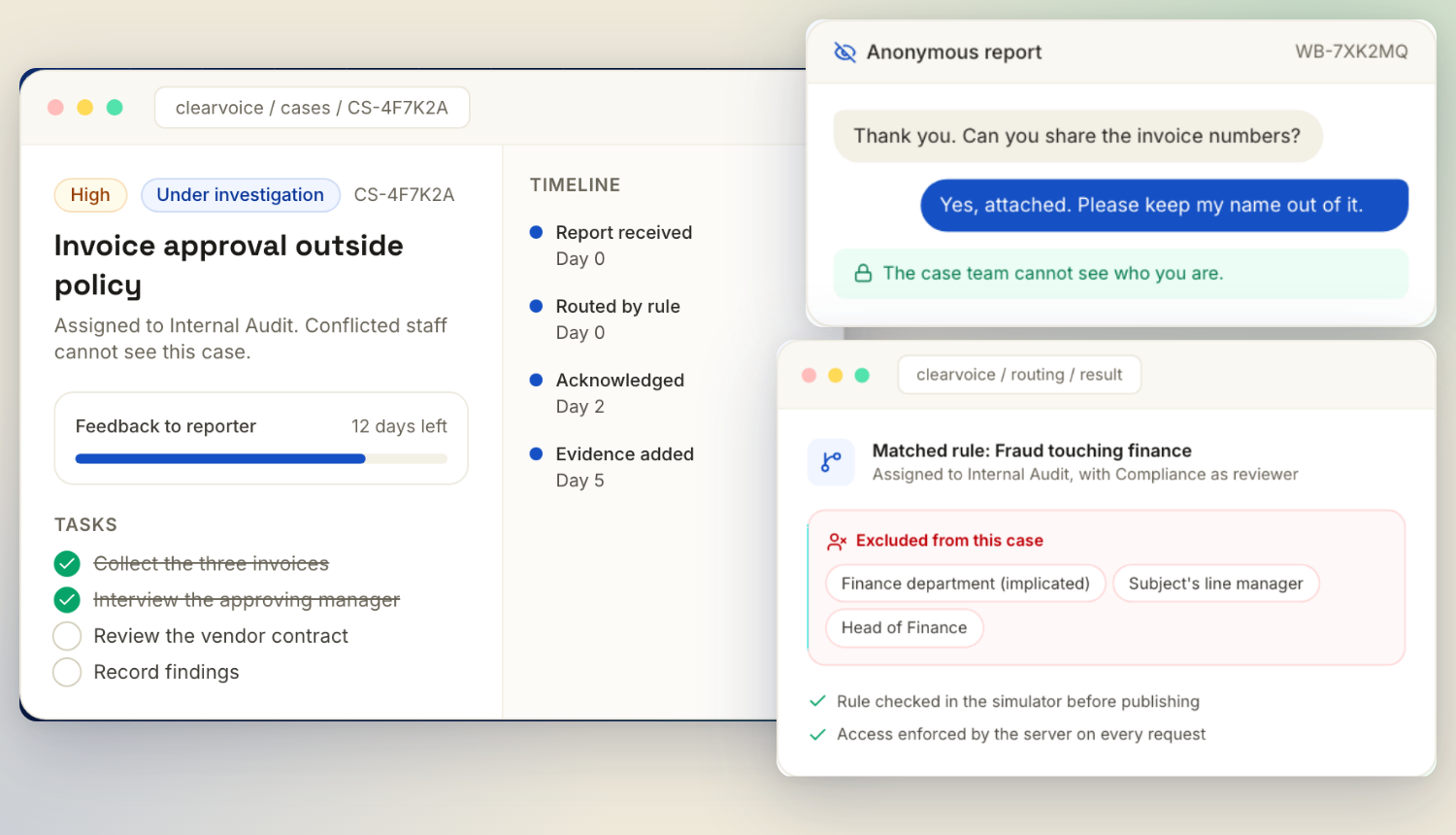
The ClearVoice case workspace, anonymous mailbox and routing. Illustrative data.
The problem
Make speaking up safe, and handling it fair.
Who it is for: Compliance, HR, legal and internal audit teams, and the boards they report to, in organisations that need a trusted channel for concerns about fraud, harassment, safety and retaliation.
Nobody trusts a shared inbox
If staff think a report can be traced or read by the wrong person, they stay silent. Silence is where fraud, harassment and safety problems grow.
Conflicts slip through
A spreadsheet cannot stop a report about a manager reaching that manager's friend. One mistake can end an investigation and expose the reporter.
Deadlines pass unnoticed
Regulators expect acknowledgement in days and feedback in months. Without tracking, you find out you missed them after the fact.
Watch
ClearVoice in 90 seconds
A short walk through ClearVoice: anonymous reporting, the two-way mailbox, conflict-aware routing, the case file and deadlines.
Read the transcript
Most wrongdoing is found because someone spoke up.
But people only speak up when it feels safe.
A shared inbox cannot promise that. It cannot hide who reported, keep conflicts away, or watch a deadline.
This is ClearVoice. Let people speak up. Prove you listened.
Anyone can report without an account, and without giving their name. They get a reference and a one-time code to follow up.
Investigators can ask follow-up questions, and the reporter can answer, without anyone learning who they are.
Every case is routed by your rules. The people involved, their reporting line and their department are kept away from it.
The case team plans tasks, gathers evidence with a chain of custody, and a second person approves closure.
Deadlines watch themselves. Seven days to acknowledge, three months to give feedback, and every step goes into a tamper-evident record.
43 percent of occupational frauds are uncovered by a tip, according to the ACFE.
Pricing is by company size, in naira or US dollars. Every plan has every feature, with unlimited reports, cases and reporters.
Start your thirty-day evaluation at clearvoice.slemtech.com. ClearVoice. Your voice. Your trust. Your protection.
How it works
How ClearVoice works
From setting up your organisation to a recorded outcome, in six steps.
01
Create your organisation
Register, choose your identifier and sign in as the first administrator. Reporters never need an account.
02
Set up categories, rules and deadlines
Add the kinds of concern you handle, write routing rules and test them in the simulator, and set your acknowledgement and feedback deadlines.
03
Invite your team
Give each person the role they need, connect single sign-on if you use it, and require two-step sign-in.
04
Share your reporting link
Publish the link on your intranet, in your policy and on notice boards. Anyone can report from a phone or computer.
05
Reports arrive and route themselves
Each report becomes a case, is routed to someone with no conflict, and starts its deadline clock.
06
Investigate, close and learn
The team works the case, talks to the reporter without learning who they are, and a second person approves closure. Corrective actions are tracked.
The route
One report, start to finish
The life of a report in ClearVoice. Names and timings are set by your own rules.
Swipe sideways to see the whole route.
The reporter can follow the case and reply at every stage through their anonymous mailbox, and the whole journey is written to a tamper-evident audit log.
Product tour
See it in use
Screens and short films from the product. Names and figures in the previews are illustrative.
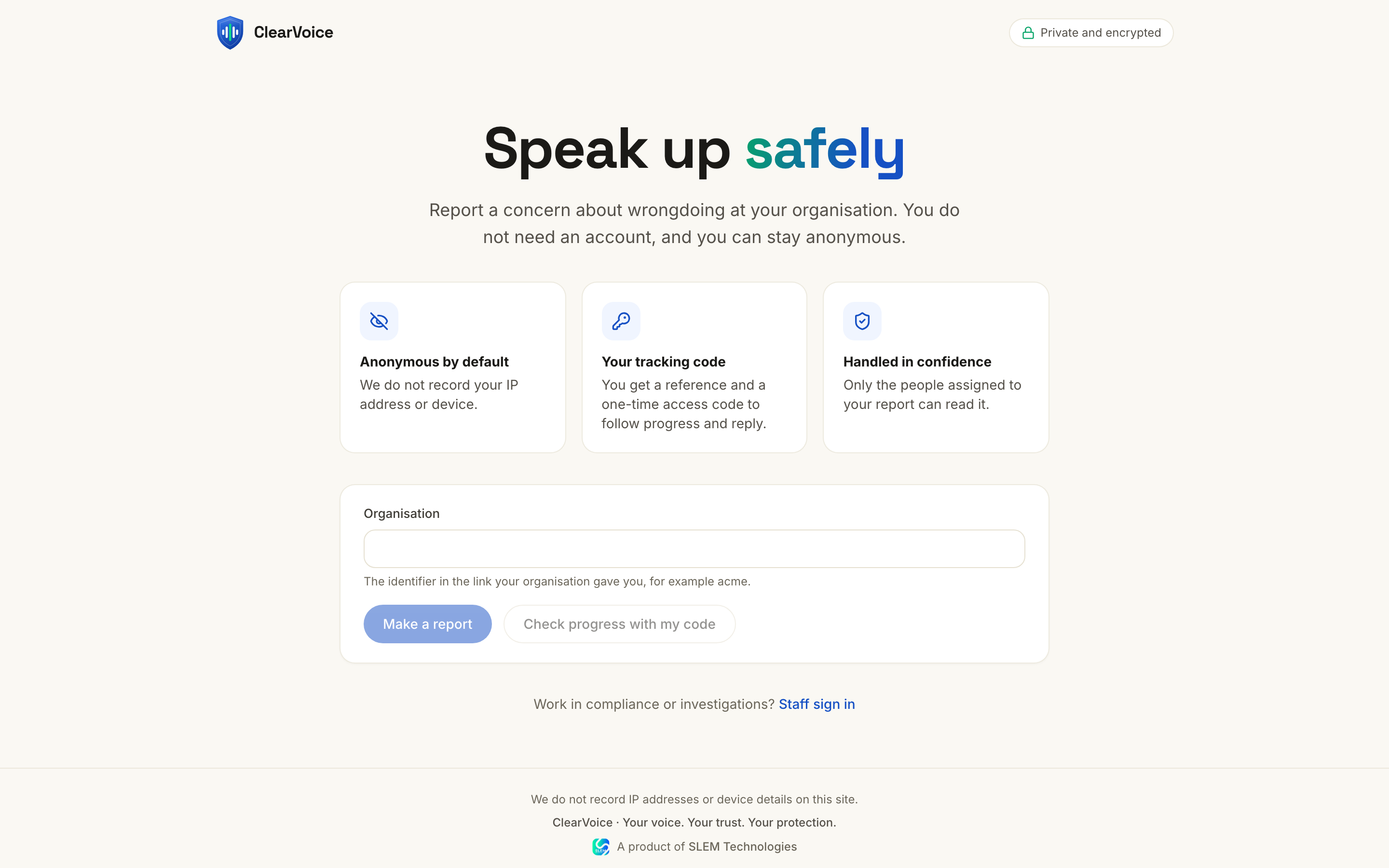
The public reporting page.
01
A safe front door for reporters
Every organisation gets its own reporting page. There is nothing to install and no account to make, and the page works on a phone.
Stay anonymous, or choose to share a name and contact details
Attach files and add the people involved
Leave with a reference and a one-time access code
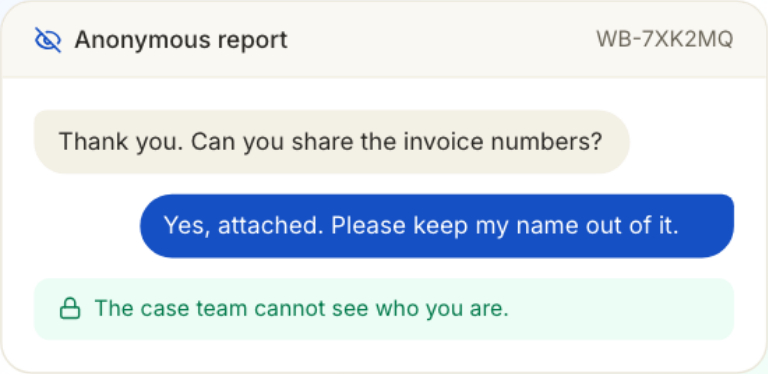
The anonymous two-way mailbox.
02
An anonymous mailbox that works both ways
The reporter returns with their reference and code to read replies and answer questions. The case team can ask for detail without ever learning who they are talking to.
Replies and questions stay in one thread
Emails never contain the details of a report
The reporter sees progress and the final outcome
Watch
ClearVoice from the reporter's side
What reporting looks like for your people: no account, a reference and one-time code, an anonymous mailbox and protection from retaliation.
Read the transcript
Picture someone on your team who has seen something wrong.
Will they speak up? Only if it feels safe.
This is ClearVoice. Your voice. Your trust. Your protection.
They open your reporting link. No account, no app, and no name needed. They write what happened in their own words.
Afterwards, they check progress with a reference and a one-time code: received, acknowledged, under review.
If the team needs more detail, they ask through the anonymous mailbox. The reporter replies without revealing who they are.
If they face pressure for speaking up, they can raise a retaliation concern. Your team records protective measures and follows up.
Give your people a channel they will trust. Start your thirty-day evaluation at clearvoice.slemtech.com.
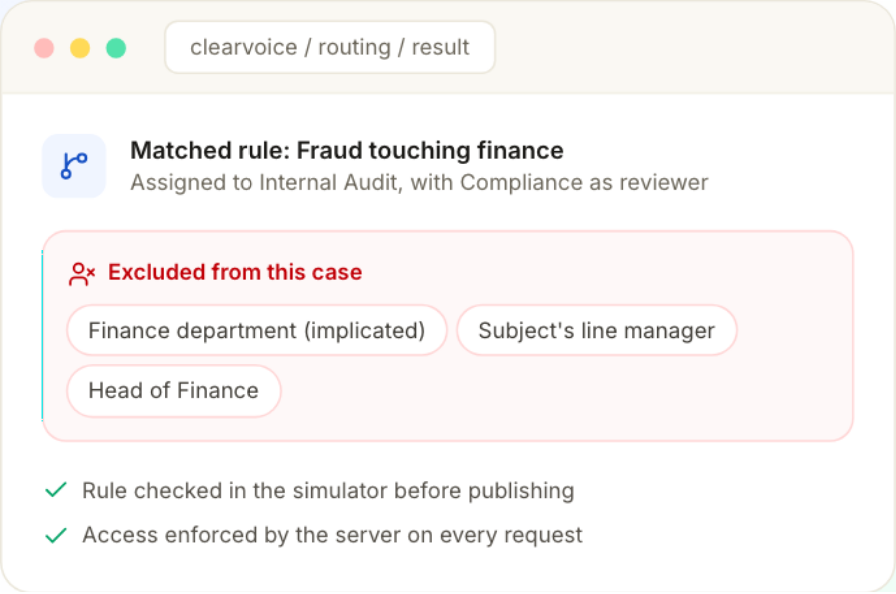
Conflict-aware routing.
03
Routing that keeps conflicts out
Write rules by category, department and severity. When a report names someone, that person, their reporting line and their department are kept away from the case.
Test any report in the simulator before you publish a rule
A decision history shows why each case went where it did
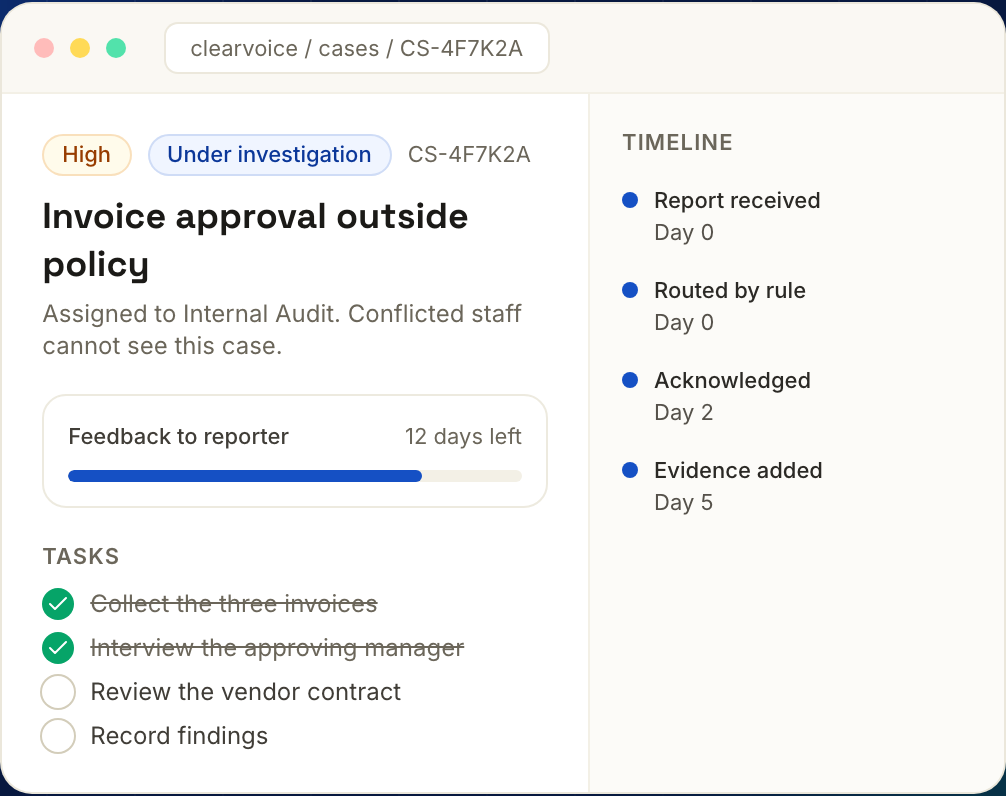
The case workspace.
04
A case workspace for the whole investigation
Everything about a case lives in one place, from the first acknowledgement to the second person's approval of closure.
Tasks, interviews, findings and recommendations
Acknowledgement and feedback deadlines with warnings
Corrective actions tracked until done
Watch
ClearVoice for case teams
How a case team works in ClearVoice: routing away from conflicts, the investigation workspace, deadlines, the identity vault and analytics for the board.
Read the transcript
An inbox is not an investigation.
Regulators want proof of what you did, and when.
Every report becomes a case with a deadline, assigned automatically by your routing rules. Nothing waits in an inbox.
Rules skip anyone implicated, in their reporting line or in their department. Test a rule on a sample report before you publish it.
Plan tasks, record interviews and findings, and keep evidence with a chain of custody, all in one case file. Closure needs a second person's approval.
Talk to the reporter through the anonymous mailbox. The deadline clock pauses while you wait for their reply.
Acknowledge within seven days. Give feedback within three months. Every step is written to a tamper-evident log.
Reporter identities are kept apart from reports. Revealing one needs a written reason and, if you choose, a second person's approval.
See volumes, categories and outcomes, with small groups hidden, and export a summary for the board.
43 percent of occupational frauds are uncovered by a tip, according to the ACFE.
Pricing is by company size, in naira or US dollars. Every plan has every feature.
Prove you listened. Start your thirty-day evaluation at clearvoice.slemtech.com.
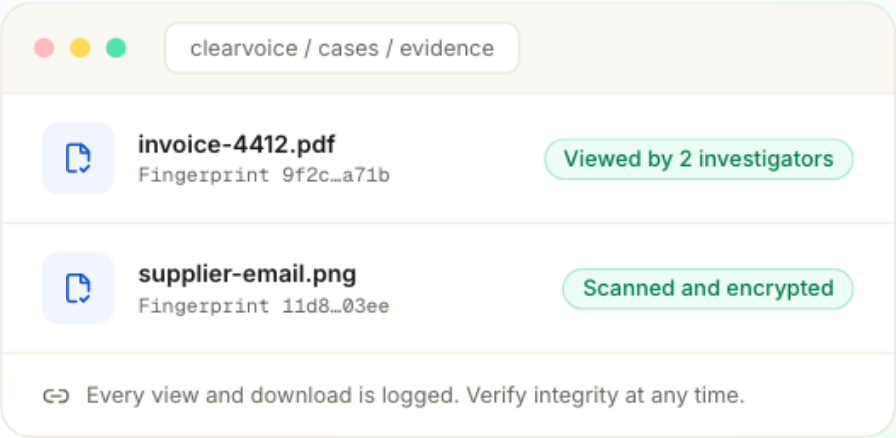
Evidence and chain of custody.
05
Evidence with a chain of custody
Files are versioned and scanned, and every view and download is logged, so you can show who handled what and when.
Integrity can be verified on demand
Access follows each person's role
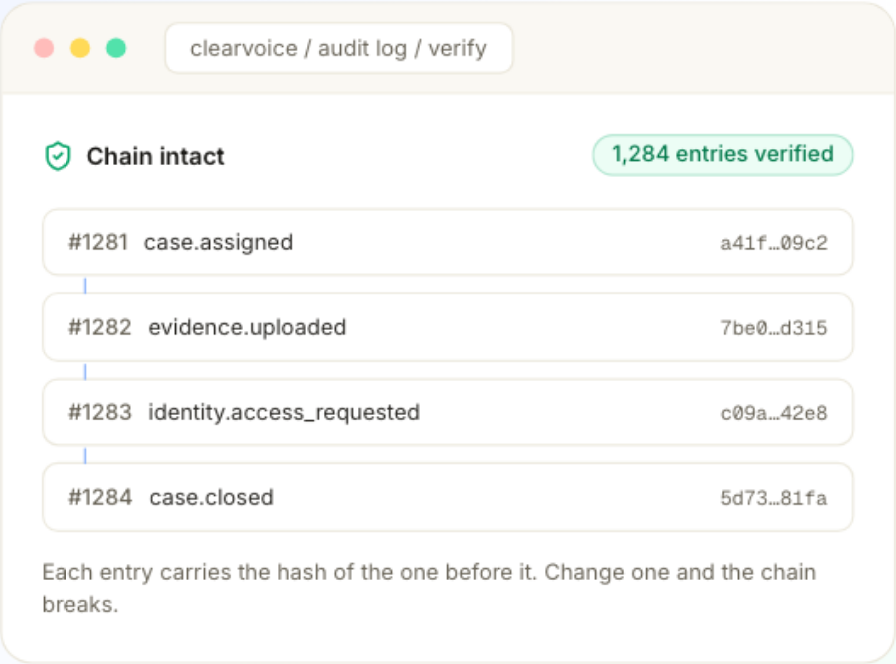
The audit log.
06
A tamper-evident audit log
Significant actions are written to a log that is chained so any change shows up. Run the integrity check whenever you need to prove nothing was altered.
Useful for regulators, auditors and your board
Exports available for reviews
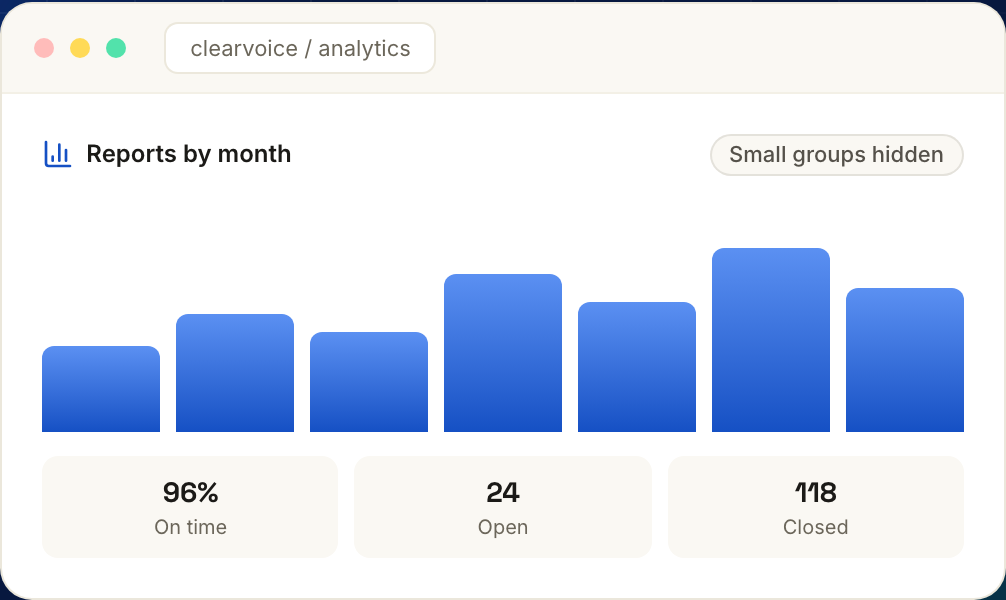
Analytics with small groups hidden.
07
Analytics that protect small groups
See how many reports you receive, what they are about and how they end, without exposing anyone. Figures for very small groups are hidden.
Volumes, categories and outcomes
Themes and patterns across cases
Board and regulator reports, printable or as CSV
Quick start
Start using it today
A short guide for each kind of user.
Reporters
No account needed.
Open your organisation's reporting link.
Describe what happened. Stay anonymous, or add your name if you want to.
Save the reference and the one-time access code you are given.
Return any time with them to read replies and answer questions.
Case handlers
Staff sign in with their own account.
Sign in and open the cases assigned to you.
Acknowledge each report before its deadline.
Plan tasks, gather evidence and message the reporter.
Record findings and recommendations.
Ask a second person to approve closure.
Administrators
Set up once, then adjust as you learn.
Create your organisation and choose your identifier.
Add categories and routing rules, and test them in the simulator.
Each capability below links to its full page on the ClearVoice website.
Anonymous two-way reporting
No account and no device details collected on the reporting pages. Reporters choose their own language, then get a reference and a one-time code to follow progress and reply securely.
Rules assign every case automatically and skip anyone implicated, in their reporting line or in their department. Simulate the rules before you publish them.
Set acknowledgement and feedback deadlines with business days and holidays. The clock pauses for reporter replies and warns before a breach, by email, text message or Microsoft Teams, as each person chooses.
Spot themes and patterns across cases without exposing reporters, then build board or regulator reports that carry a fingerprint showing they were not altered.
Off by default. When you turn it on it helps investigators draft summaries and interview questions, never reads who the reporter is, and never decides anything.
ClearVoice is designed to support the EU Whistleblower Directive 2019/1937, ISO 37002, GDPR and the Nigeria Data Protection Act 2023. No tool makes an organisation compliant on its own, so have legal counsel confirm your set-up.
Yes. Anonymous is the default. The reporting pages do not collect IP addresses or device details, and an anonymous report contains no contact information. Reporters follow progress with a reference and a one-time access code.
Do reporters need an account?
No. Anyone with your reporting link can submit a report, check progress and reply. Only your staff need accounts.
How does ClearVoice handle conflicts of interest?
You can name who a report is about. The system then keeps that person, their reporting line and their department away from the case, both in routing and in what they can see.
Does it help us meet the EU Whistleblower Directive?
ClearVoice is designed to support it: you can set a 7-day acknowledgement deadline and a 3-month feedback deadline, offer an anonymous channel and keep a full record. Have legal counsel confirm your set-up.
Can we use our own web address?
Every organisation has a short link and an organisation address, and larger plans can publish the reporting page on their own domain. See the pricing page for plans.
Can people sign in with our own identity provider?
Yes. ClearVoice supports single sign-on with identity providers that use OpenID Connect, restricted to the email domains you choose, and you can require two-step sign-in for everyone.
Can we set retention periods and handle data requests?
Yes. Set how long closed cases are kept, place a legal hold when needed, and track access and erasure requests to a due date. Have legal counsel confirm the periods you choose.
Does ClearVoice use AI?
Only if you turn it on. The optional assistant is off by default, helps investigators draft text, never reads who the reporter is and never changes a case on its own.
How much does it cost, and can I try it first?
Pricing is by organisation size, in naira or US dollars, and every plan includes every feature. New organisations get a 30-day evaluation with no payment needed. See the ClearVoice pricing page for details.
ProcessIQ runs approvals, tasks and handovers for a whole organisation. You draw how a process should go, check it before it goes live, and from then on every request follows the route you drew, with a clear record of who decided what and when.
ResolveDesk brings tickets, approvals, service levels and a knowledge base into one place. Every request becomes a ticket with an owner, a clock and a history, common answers are found before a ticket is raised, and the routine parts of running the desk run themselves. Paid services, single sign-on, automatic asset discovery, device monitoring and health for Mac, Linux and Windows computers, website blocking, automated remediation, a status page, licence tracking, monitoring alerts and your own reports are all part of it.

 ClearVoice