
 ResolveDesk
IT support. Simplified. Resolved.
ResolveDesk brings tickets, approvals, service levels and a knowledge base into one place. Every request becomes a ticket with an owner, a clock and a history, common answers are found before a ticket is raised, and the routine parts of running the desk run themselves. Paid services, single sign-on, automatic asset discovery, device monitoring and health for Mac, Linux and Windows computers, website blocking, automated remediation, a status page, licence tracking, monitoring alerts and your own reports are all part of it.
Free trial. No payment details needed to begin.
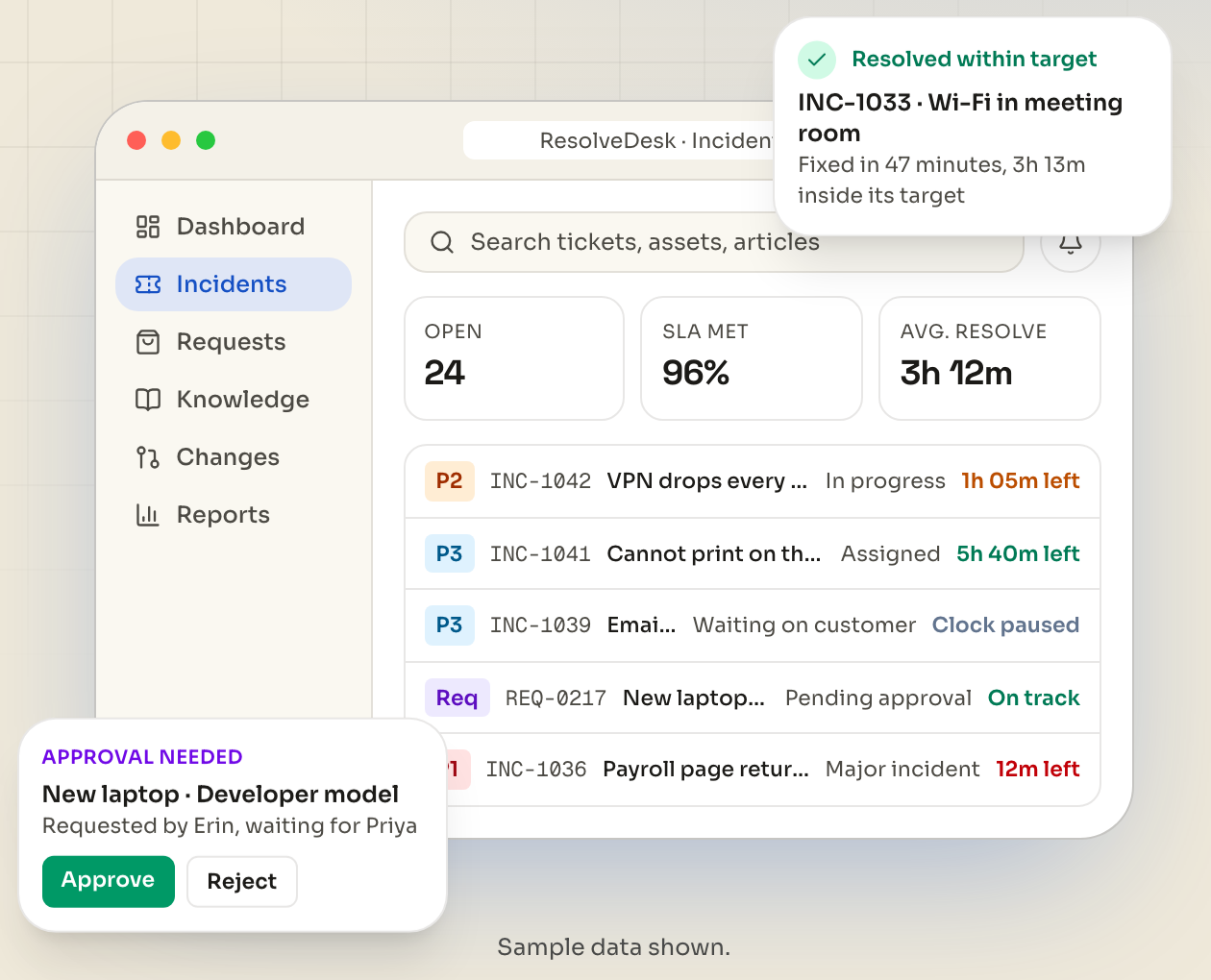
An IT service desk that works on day one.
Who it is for: IT managers and small IT teams in growing organisations, and internal support teams for HR and facilities, who currently run support from a shared inbox or a spreadsheet.
Requests arrive everywhere
Email, chat and walk-ups. Nobody owns them, and the person who asked cannot tell who is looking at it.
Deadlines slip
Without a clock on each ticket, urgent work is found late and the team spends its day chasing instead of fixing.
The same questions, again and again
Answers live in people's heads, so they are given over and over, and there is no record of what was fixed or why.
ResolveDesk launch video
A short tour of ResolveDesk: a ready-made desk, the self-service assistant, automation rules, service levels, approvals, and tickets from email, Slack or Microsoft Teams.
Read the transcript
IT support shouldn't live in a shared inbox.
Introducing ResolveDesk. IT support. Simplified. Resolved.
Requests arrive everywhere. Nobody owns them, deadlines slip, and the same questions come back.
Start working on day one. Teams, categories, services and service levels are already set up.
The self-service assistant answers from your knowledge base before a ticket is ever raised.
Automation rules route and escalate tickets, so every request gets an owner.
Service levels count working time, and warn you before a deadline is missed.
Approvals and delegation mean decisions do not get stuck.
Saved replies speed up answers, and a survey goes out when a ticket is resolved.
Raise and follow tickets from email, Slack or Microsoft Teams.
Incidents, problems, changes, requests, assets and a knowledge base, all in one place.
AI features are optional, off by default, and always reviewed by a person.
ResolveDesk. IT support, simplified, resolved. Start free, no payment details needed.
How ResolveDesk works
From a ready-made desk to a measured, improving service, in six steps.
- 01
Set up your service desk
Start with the built-in teams, categories, services and service level targets, or use a template.
- 02
Add people and roles
Invite people or import them from a spreadsheet, and give each the built-in roles they need.
- 03
People raise requests
From the portal, by email, from Slack or Teams, or by phone through staff. The assistant answers first when it can.
- 04
Route, automate, meet targets
Rules route and prioritise tickets, and each ticket's clock warns before a service level is missed.
- 05
Work and resolve
Agents reply, add notes, complete tasks and approvals move on. Resolution takes a code and notes.
- 06
Measure and improve
Reports and surveys show how the desk is doing, and repeat incidents become problems and changes.
One ticket, start to finish
The life of a ticket in ResolveDesk.
Swipe sideways to see the whole route.
Every ticket always has an owner, a clock and a record. Internal notes stay with staff, public replies reach the requester, and the full history stays on the ticket.
Built for the work, not the demo.
Each capability below links to its full page on the ResolveDesk website.
Ready on day one
A new organisation starts with four IT teams, ten categories, thirteen everyday services, service level targets for four priorities and six saved replies, so you can sign in and work straight away. Seven templates and optional AI drafting help you tailor it.
Learn more →Incident management
Priority is worked out from impact and urgency, tickets are assigned to teams or people, and a manager can declare a major incident so the right people are told at once. Staff choose whether each comment is a public reply or an internal note.
Learn more →Service requests and a catalogue
Publish services with their own forms, up to five approval steps and fulfilment tasks. Requesters see where their request is, who is holding it, and can nudge the person it is waiting on.
Learn more →Paid services and online payment
Mark a service in the catalogue as paid. The requester pays by card or bank transfer on AlliancePay's secure checkout, and work starts only once the payment has been confirmed with AlliancePay.
Learn more →Service levels that count working time
Each ticket gets a clock that follows your business hours and holidays, pauses while you wait on the customer, and warns before a deadline is missed.
Learn more →Automation rules
Route and prioritise new tickets, and act again when a service level is at risk or breached: assign, escalate, notify or add a task. A dry run shows what a rule would do before it touches a real ticket.
Learn more →A self-service assistant and a knowledge base
The portal suggests articles while people type, and the assistant answers from your knowledge base before a ticket is raised. Questions it could not answer become a list of articles to write.
Learn more →Approvals and delegation
Requests wait for approval in the order you define, by manager, named person or role, with out-of-office cover and nudges so nothing stalls.
Learn more →Problems and changes
Repeat incidents become problems with a root cause and a workaround that agents see on every linked ticket, and risky fixes go through change management with an approval record.
Learn more →Slack, Microsoft Teams and email
Ask for help, check tickets and raise an incident from Slack or Teams, post events to a channel, and raise or reply to tickets by email.
Learn more →Reports and satisfaction surveys
A dashboard computed from live tickets shows volumes, service level compliance and average times, and a satisfaction survey goes out when a ticket is resolved. Export incidents and requests to CSV.
Learn more →Report builder
Build custom reports and charts, drill down into the tickets behind a figure, add them to dashboard widgets, have them emailed on a schedule and export them to CSV.
Learn more →Single sign-on and automatic provisioning
Sign in with OpenID Connect single sign-on, including Microsoft Entra ID, Okta and Google Workspace. SCIM provisioning creates joiners and deactivates leavers automatically.
Learn more →Automatic asset discovery
Collector scripts report devices and installed software into the asset register on their own, and a stale device report shows which devices have stopped reporting.
Learn more →Device monitoring and health
Copy one command from the console and paste it on a Mac, Linux or Windows computer. It registers itself as an asset, then reports when it is on or off, who is signed in, its battery, processor, memory and disks, and software changes. Administrators can restart it, and agents update themselves. Give a computer to a new owner in the console and it picks the change up. Windows has been run on Windows Server 2022.
Learn more →Device health and battery
A battery bar and battery health, processor, memory, disks, uptime and hardware for every computer, pushed by the computers themselves and kept on one page with 24-hour and 7-day charts.
Learn more →Website blocking
Block a website and all its subdomains on every monitored computer. People see a clear block page that says who to contact and lets them ask for a review, administrators are told when someone tries, and about 190 suggested websites in 14 groups can be accepted by group, in full or one by one.
Learn more →Company phones (preview)
Enrol Android company phones with a QR code or a link, with a work profile and no factory reset or a fully managed phone, and see their battery, storage and apps. It needs Google to approve ResolveDesk's device quota, and iPhone is not supported yet.
Learn more →Automated remediation
A health alert can start a signed call to your own tool or a safe action from a fixed list on the computer, with approval, daily limits and a check afterwards. It is off until an administrator switches it on.
Learn more →Service health and a status page
Define business services and see their health worked out from incidents, alerts, changes and maintenance, with the reasons shown. Publish an optional public status page.
Learn more →Asset intelligence and warranty
One page per asset with everything linked to it, problem candidates for assets and models that keep failing, vendors, purchases, warranty claims and a QR-label asset audit.
Learn more →Software and licences
Map reported software onto products, record entitlements, see where you are over, under or unlicensed, mark software approved or prohibited, and follow renewals. It counts what is installed, not what is used.
Learn more →Monitoring integrations
Alerts from Alertmanager, Grafana, Datadog, Zabbix, Azure Monitor, CloudWatch or any JSON webhook become incidents linked to the affected service. Repeat alerts are combined, and the incident resolves itself when the alert clears.
Learn more →AI-assisted resolution for agents
Agents see similar resolved tickets and approved knowledge. With an AI service connected, they also get a summary, a likely cause, suggested steps and a draft reply grounded in that knowledge. These are suggestions only; the agent decides what to send.
Learn more →Predictive intelligence
Spot recurring problems, get early warning of a likely major incident and see which services are at risk, drawn from your own ticket history. It does not use AI.
Learn more →Mobile app (preview)
A mobile app for iPhone and Android covers tickets, approvals, notifications and assets. It is a preview and is not yet in the app stores.
Learn more →
ProcessIQ
Workflow Automation & Process Management
ProcessIQ runs approvals, tasks and handovers for a whole organisation. You draw how a process should go, check it before it goes live, and from then on every request follows the route you drew, with a clear record of who decided what and when.
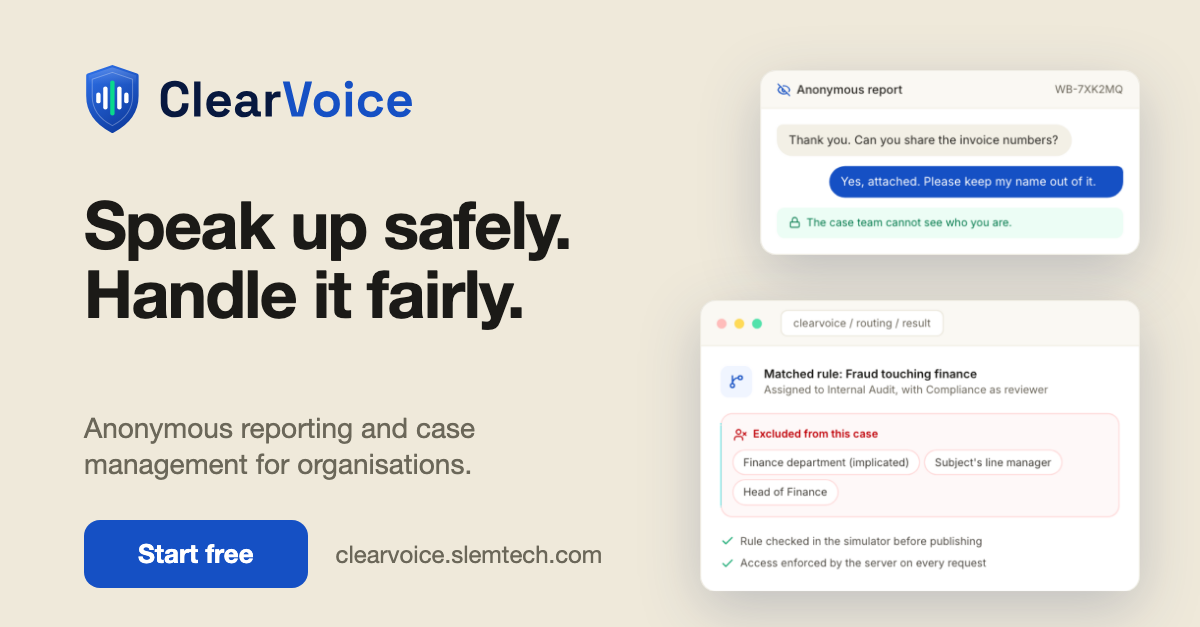
ClearVoice
Whistleblowing & Ethics Management
ClearVoice gives your organisation a confidential way to hear concerns and a clear way to deal with them. People report anonymously, cases are routed away from anyone with a conflict, deadlines are watched for you, and every step is recorded so you can show that you acted.